Trend detection tools: Exploding Topics, Glimpse, and Treendly compared
There is no universal best tool. Exploding Topics suits structured discovery through modules (products, channels, TikTok); Glimpse suits anyone looking to enrich a practice already centered on Google Trends; Treendly offers the clearest free entry point for tracking a small portfolio. The right choice depends on the task at hand, to be confirmed in the actual plan and checkout screen before purchase.
Exploding Topics, Glimpse, and Treendly share the same broad ambition: helping you spot, examine, or track topics whose interest is shifting. Yet they offer neither the same entry point, nor the same components, nor the same access conditions.
This comparison is based on the public pages, official documentation, and accessible terms of the three platforms, reviewed and verified on August 14, 2026. No account was created, no subscription purchased, and no API called: a feature described by a vendor is therefore not treated as a tested feature, and no overall score is calculated — that would give arbitrary weight to needs that vary by profile.
Comparative overview
Three distinct positionings, presented in the order they appear in the source material — no ranking, no score.
-
Exploding Topics Structured discovery An exploration platform with specialized modules A discovery environment complemented by product, channel, meta-trend, and TikTok modules plus an API — part of Semrush since 2024. Best for: exploring topics, products, or channels before you even have a keyword list
-
Glimpse Google Trends enrichment Discover, an extension, and data built around Google Trends An ecosystem combining Discover, an extension that enriches Google Trends (volumes, trajectory, seasonality), an Enterprise plan, an API, and data. Best for: deepening a practice already anchored in Google Trends
-
Treendly Limited, free tracking Discovery, tracking, and reports, with a Free plan Library, search, tracking, and reports built around multi-channel signals, with a Free plan at 0 EUR and a Pro plan at 99 EUR per year. Best for: starting at no cost and tracking a small portfolio of trends
This overview offers direction, not a verdict. No account, trial, or API call was used: the real usability of the private workspaces, the relevance of results for identical queries, and the accuracy of forecasts still need to be verified before any commitment.
The three platforms in detail
Exploding Topics
Structured discoveryAn exploration platform with specialized modules
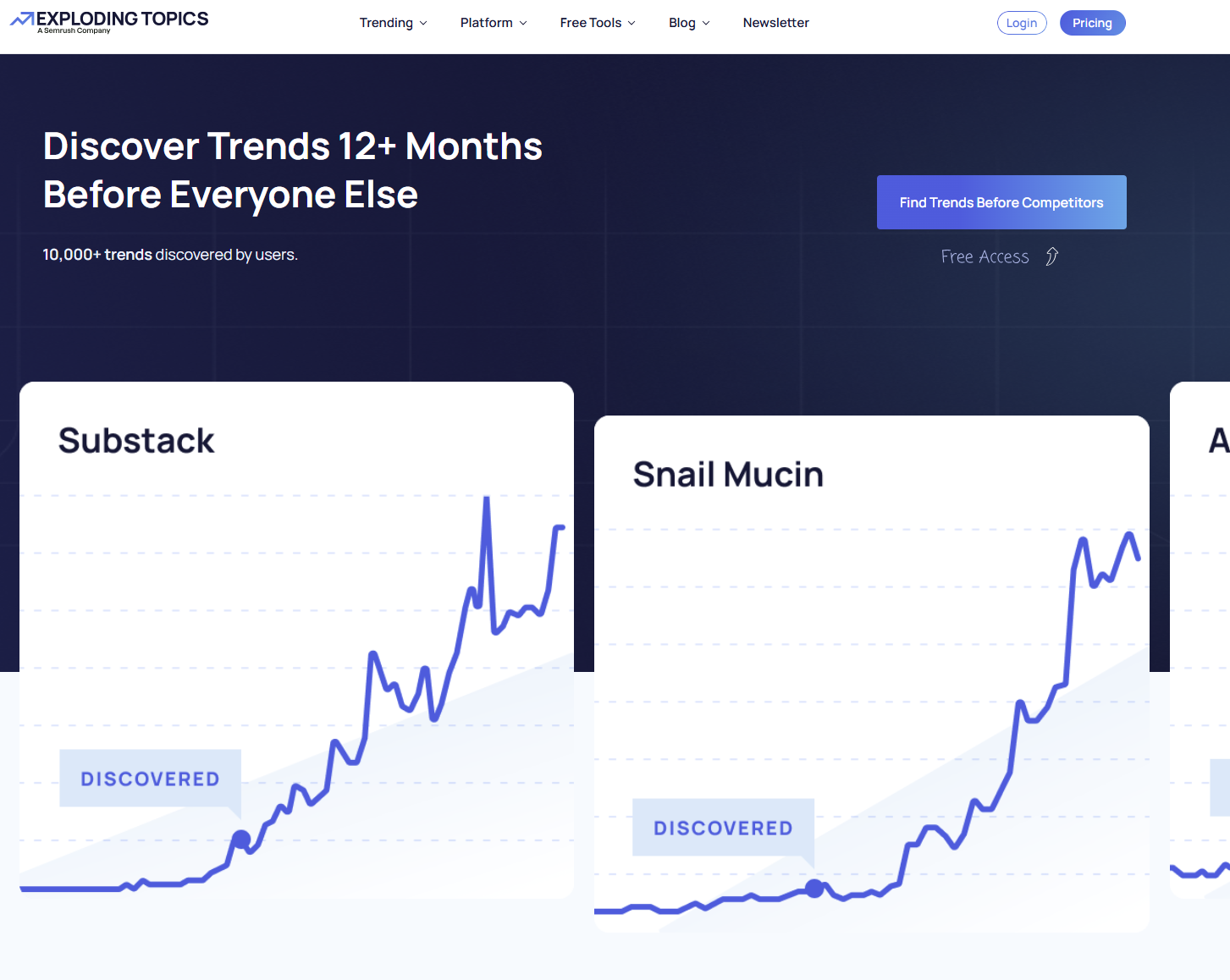
Part of Semrush since its 2024 acquisition, Exploding Topics includes a main platform plus distinct modules: Trending Products, Channel Breakdowns, Meta Trends, TikTok Insights, and a Trends API, along with the public Top Websites module. The vendor states it combines search engines, social networks, forums, media, e-commerce, and podcasts, then applies algorithmic processing and human review — an advertised method, not a demonstrated performance.
- Best for
- Exploring topics, products, or channels before having a keyword list
- Vendor
- Part of Semrush (2024 acquisition)
- Scope
- Platform + specialized modules + Trends API + Top Websites (associated module)
- Listed prices
- 39 / 99 / 249 USD per month (Entrepreneur / Investor / Business)
- Reference point
- 100 to 2,000 tracked trends depending on plan; CSV export from Investor up
Documented strengths
- Distinct specialized modules: products, channels, meta-trends, TikTok
- Advertised method: multi-channel collection and human review
- Documented REST API (sixty requests per minute advertised) and CSV export depending on plan
- Country filter observed in the public Top Websites module
Observed limits
- Contradictory trial depending on the official page: 7 free days or 14 days for 1 USD
- Billing, taxes, commitment, and post-trial terms not specified
- Country coverage confirmed only on an associated module, not on the main product
- No independent validation of forecast accuracy
What the platform offers
The platform documents search within a database, tracked lists, analyses, and, depending on the plan, forecasts, CSV export, or reports. These private features were not tested. A country filter was observed in Top Websites, with traffic indicators — this associated module does not prove the main product filters trends by country.
Limits to know
Two official pages contradict each other on trial length. Before purchasing, check geographic coverage in the specific module or plan you intend to use, what the plan includes, and renewal terms. Claims of early detection and forecasting remain marketing statements, not demonstrated performance.
Glimpse
Google Trends enrichmentDiscover, an extension, and data built around Google Trends
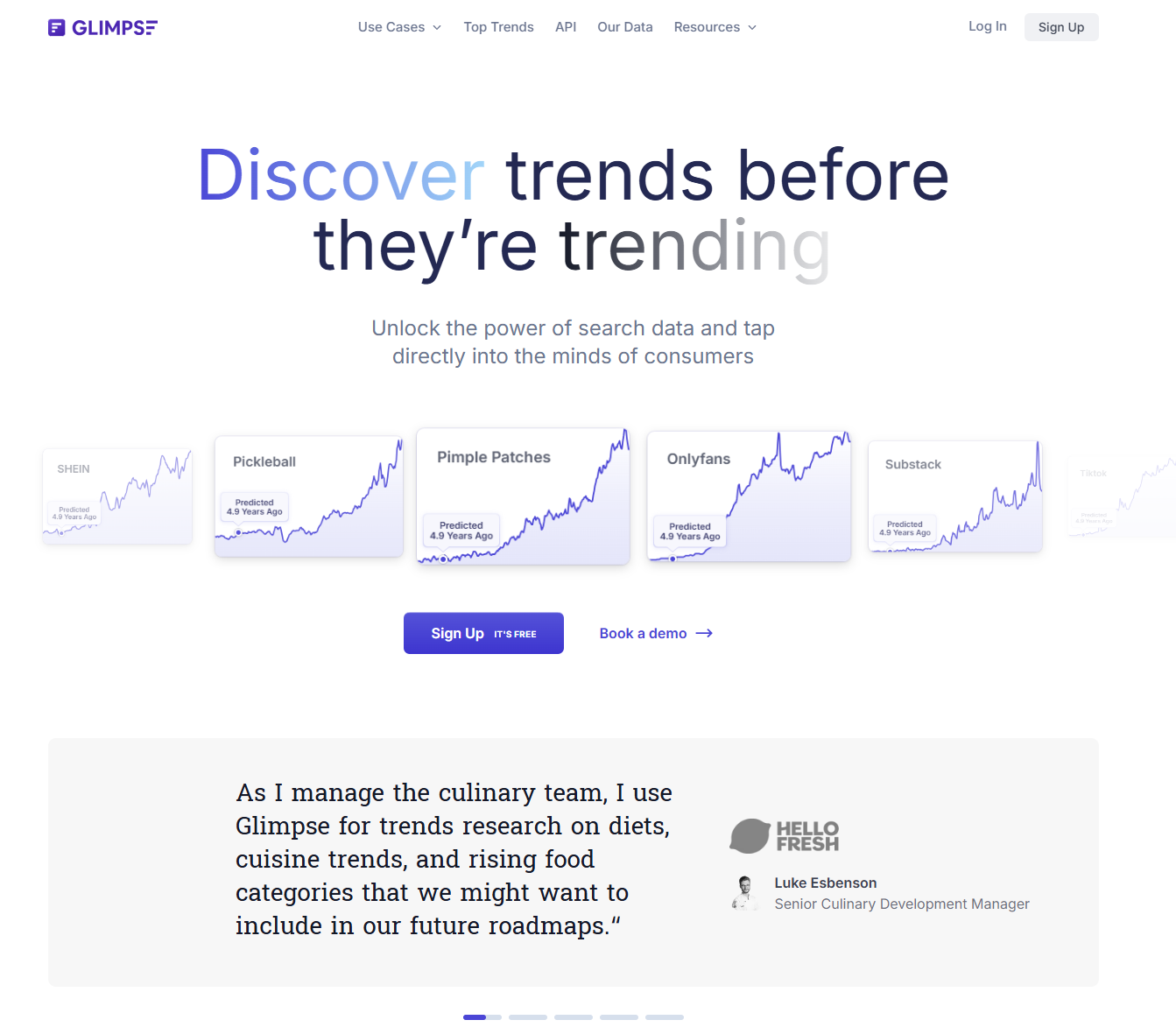
Operated by Double Point Partners LLC, Glimpse forms an ecosystem including Discover, a Google Trends extension, an Enterprise plan, an API, and data. Its terms of use state that third-party data may include estimates or extrapolations — so a displayed figure is not enough to treat it as a direct measurement.
- Best for
- Deepening a practice already anchored in Google Trends
- Vendor
- Double Point Partners LLC
- Scope
- Discover + extension + Enterprise + API + data
- Free access
- 10 free searches per month (account required, not tested)
- Reference point
- From 99 USD/month advertised; full price grid unavailable
Documented strengths
- Directly enriches Google Trends: estimated volumes, trajectory, seasonality, related topics
- Alerts and a thematic map documented in the extension
- Export to Google Sheets advertised
- "All countries" coverage advertised for the data
Observed limits
- Complete official price grid unavailable; a competitor's cited price of 71 USD/month remains contradictory
- No country-specific query directly observed in the product
- Seven languages listed for the extension as of July 2026, none of them French
- Terms of use flag possible estimates and extrapolations in third-party data
What the platform offers
The extension documents estimated volumes, related topics, alerts, a thematic map, trajectory, seasonality, and Google Sheets export. It was not installed, and no account was created. Worldwide coverage is advertised, but no country-specific query was observed within Glimpse.
Limits to know
The official guide reviewed advertises a paid tier starting at 99 USD/month, without a full price grid, plan names, commitment terms, or detailed quotas. A comparison published by a competitor cites 71 USD/month billed annually — a contradictory figure that does not substitute for an official price grid. Testing should cover the actual queries, periods, countries, and exports used, as well as the total cost shown before payment.
Treendly
Limited, free trackingDiscovery, tracking, and reports, with a Free plan
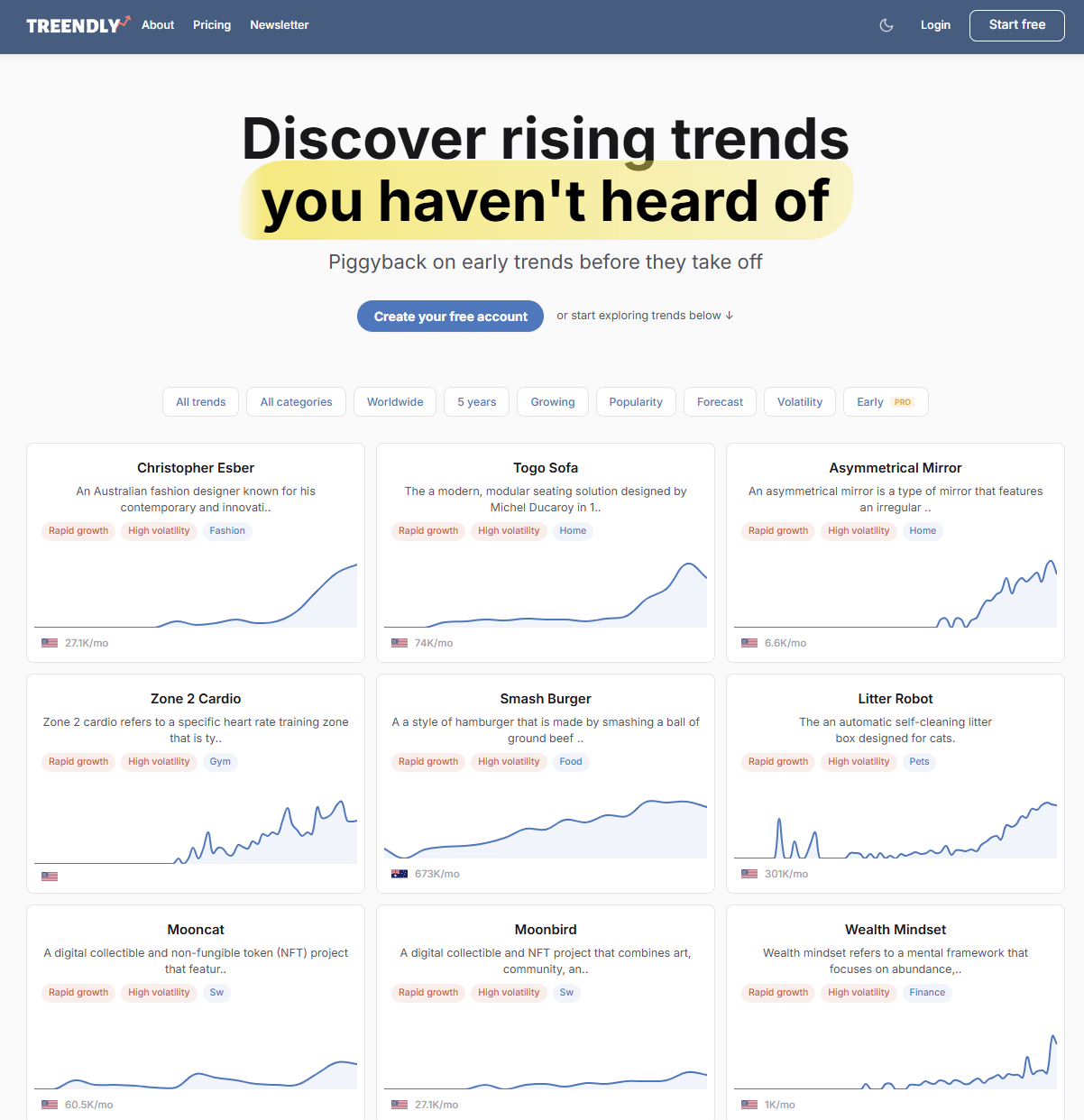
Legally operated by x23yc OÜ under the Flat9 brand, Treendly presents itself as a trend discovery, tracking, and reporting app, distinct from its Chrome extension, its Notion and WordPress integrations, and its API. Its stated method follows collection, analysis, enrichment, and forecasting drawing on Google Trends, Amazon, YouTube, Pinterest, TikTok, and e-commerce partners.
- Best for
- Starting at no cost and tracking a small portfolio of trends
- Vendor
- x23yc OÜ, Flat9 brand
- Scope
- Platform + extension + Notion + WordPress + Enterprise API
- Pricing
- Free: 0 EUR; Pro: 99 EUR/year; Enterprise on request
- Reference point
- Unlimited searches and 3 tracked trends on Free; 25 on Pro
Documented strengths
- Generous Free plan: unlimited searches, no advertised time limit or card requirement
- Clearest terms in the panel: taxes, cancellation, and a 14-day Pro trial all documented
- Public page observed serving a French query with the
geo=FRparameter - Advertised multi-channel signals: Google Trends, Amazon, YouTube, Pinterest, TikTok
Observed limits
- 14-day Pro trial not activated or tested
- Only one country-specific example observed, possibly miscategorized
- REST API reserved for Enterprise, not called
- Scoring formulas, full partner list, and error margins of the method not published
What the platform offers
Treendly documents a library, search, tracking, history, filters, and multi-channel signals. Its REST API accepts a country code and one- or five-year periods, but it is reserved for Enterprise and was not called. Free is listed at 0 EUR with no time limit or card required, offering unlimited searches, three tracked trends, and one seat; Pro costs 99 EUR/year with twenty-five tracked trends and four seats.
Limits to know
A public page displayed a French query using geo=FR, with several horizons and channels, while remaining in English. A single example, possibly miscategorized, does not demonstrate the general quality of the country-specific data. Before purchasing, test result relevance on a local sample and confirm cancellation terms, since no partial refund is advertised.
Full comparison table
| Dimension | Exploding Topics | Glimpse | Treendly | Shared limit |
|---|---|---|---|---|
| Positioning | Structured discovery and specialized modules | Discovery and Google Trends enrichment | Discovery, tracking, and reports | Vendor positioning, private use untested |
| Data and method | Multi-channel, algorithm and human review advertised | Signals, third-party data, estimates and extrapolations | Multi-channel, analysis, enrichment, forecasting | Proprietary methods not audited |
| Discovery | Database, products, channels, meta-trends | Discover, extension, related topics | Library, search, channels | Comparative relevance untested |
| History and metrics | Growth, analyses, forecasts depending on plan | Volumes, trajectory, seasonality advertised | 1/5-year history, estimated volume, documented forecasting | SEO volumes and accuracy unverified |
| Alerts and tracking | Tracked trends, quotas by plan | Alerts documented; full quotas unknown | 3 tracked on Free, 25 on Pro, unlimited on Enterprise | Private notifications not observed |
| Filters and geography | Country data seen in Top Websites (associated module) | All countries advertised; not observed for specific ones | geo=FR observed on a public page | Local data depth not comparable |
| Exports, API, integrations | CSV depending on plan; API documented | Google Sheets, API and Enterprise advertised | Integrations; Enterprise API documented | No private export or API call tested |
| Access | Contradictory trials; no account tested | 10 free searches advertised; no account tested | Free and Pro trial advertised; no account tested | Private usability not evaluated |
| Pricing | 39/99/249 USD per month listed | From 99 USD/month advertised; incomplete grid | 0 EUR; 99 EUR/year; Enterprise on request | Currencies and billing not equivalent |
| Use cases and limits | Explore topics, products, or channels | Enrich Google Trends and go deeper | Start free or track a limited list | No absolute winner demonstrable |
The grid highlights differences in scope and terms, not a hierarchy. Cells summarize documented or advertised elements and should be read alongside their limit.
Pricing, access, and limitations
| Platform and plan | Listed price | Currency | Billing period | Quotas and limitations |
|---|---|---|---|---|
| Exploding Topics — Entrepreneur | 39 | USD | Listed per month | 100 tracked; 10 analyses |
| Exploding Topics — Investor | 99 | USD | Listed per month | 500 tracked; 100 analyses; CSV export |
| Exploding Topics — Business | 249 | USD | Listed per month | 2,000 tracked; 500 analyses; reports |
| Glimpse — free | 0 | — | 10 searches / month | Other limits unknown |
| Glimpse — paid | From 99 | USD | Advertised per month | Full plans and quotas unknown |
| Treendly — Free | 0 | EUR | No time limit | Unlimited searches; 3 tracked; 1 seat |
| Treendly — Pro | 99 | EUR | Per year | 25 tracked; 4 seats |
| Treendly — Enterprise | On request | EUR | Unknown | Unlimited tracking; 10+ seats |
Amounts keep their original currency: no USD figure is converted to EUR, and a monthly equivalent derived from an annual payment remains explicitly an equivalent, not actual monthly billing.
Methodology
This review was limited to public pages, official documentation, accessible terms, and a few already-recorded public observations, as of August 14, 2026. No account was created, no extension installed, no trial activated, no subscription purchased, and no API called. Screenshots of private workspaces, comparative performance, and post-payment behavior are therefore not part of the established facts.
The comparison follows eleven shared dimensions: positioning, declared data and methodology, discovery, history and metrics, search, alerts and tracking, filters and geography, exports/API/integrations, access, pricing, and use cases and limits. No overall score is calculated, since that would give arbitrary weight to needs that vary by profile.
| Status | Meaning | What not to infer |
|---|---|---|
| Verified | A precise element supported by a suitable, dated source | That it will remain unchanged after the verification date |
| Documented or advertised | A feature, method, or promise described by the vendor | That the feature was actually used or that performance is demonstrated |
| Observed | Something seen on a public page or interface, with its parameters | That it exists the same way across the whole product or every plan |
| Independent information | A signal from a third party, qualified by its sample | That a single review represents all users |
| Untested or unknown | No access, information not found, or insufficient evidence | That the feature does not exist |
| Contradictory | Incompatible sources not resolved | That a value can be picked without a caveat |
What a trend detection tool actually does
An emerging signal is an early indicator: rising search volume, a growing number of mentions, a product appearing, interest on a platform, or a combination of several traces. It becomes useful once its evolution can be placed in time, region, and context — a one-off spike is not necessarily a lasting trend.
Three distinct functions sit behind these tools. Discovery starts from a broad space to surface unfamiliar topics, through categories, products, channels, or curated lists. Validation starts with a hypothesis: searching a term, reviewing its history, comparing periods and regions. Monitoring plays out over time, through lists, alerts, reports, and exports.
Rising interest doesn't prove there's a paying market, nor does it reveal the competition or an acceptable price point. Vendors describe algorithmic processing and sometimes human review, but the source material contains no complete formula, no error series, and no independent audit that would allow their accuracy to be compared. Good practice is to form a proportionate hypothesis — "this topic deserves a closer look," rather than "this market will grow" — then cross-check it with commercial data, interviews, or competitive analysis.
How does this differ from Google Trends?
Google Trends is a common reference point, but its values are easy to misread. According to Google's official documentation, the data comes from an anonymized, categorized, and aggregated sample, normalized by the chosen period and region, then scaled to a 0–100 range. A value of 100 represents the peak of relative interest within the observed scope; it does not mean one hundred searches.
This normalization means the curve cannot be directly turned into an absolute volume, commercial demand, or market share. Any platform that adds an estimate or forecast is performing an additional layer of processing whose method needs to be examined separately — Exploding Topics through its modules and human review, Glimpse through its estimated volumes and trajectory, Treendly through its multi-channel signals. Nothing in the available material shows that they replace all of Google Trends' functions, or that their enrichments are equally accurate.
Choosing by profile
| Profile | Main need | Decisive criteria | Check before buying |
|---|---|---|---|
| Content or SEO | Discover then validate topics | Search, history, metrics, export, local coverage, budget | Test the same set of queries and the export you'd actually use |
| Market monitoring | Track trends over time | Alerts, lists, sources, geography, quotas | Check frequency, thresholds, history, and notifications |
| Entrepreneurial opportunities | Spot and dig into signals | Products, channels, categories, metrics, cost | Cross-check against the market, customers, competitors, and margins |
| Agency or multi-client use | Share, export, or integrate | Seats, exports, API, quotas, pricing, countries | Confirm rights, plan, limits, and total cost |
Content or SEO
Exploding Topics is worth checking first for browsing trends, products, or channels before you even have a keyword list. Glimpse makes sense once the process already starts in Google Trends. Treendly deserves a look when the Free access needs to support broad searching followed by tracking three topics. Since no local SEO volume has been verified, proprietary volumes should remain estimates to cross-check.
Market monitoring
Exploding Topics documents growing quotas, from one hundred to two thousand tracked trends depending on the plan. Glimpse can work if the queries to track are already defined, subject to paid quotas. Treendly offers readable tiers (3, 25, unlimited) to test a small portfolio before scaling up.
Entrepreneurial opportunities
Forecasts should never be treated as investment advice, and a search trend proves neither a paying demand nor a margin. The platform organizes attention; it doesn't validate the business model — cross-checking with customer interviews, competition, and margins remains necessary.
Agency or multi-client use
Treendly gives precise reference points (4 seats on Pro, 10 or more on Enterprise) without their functioning having been tested. Exploding Topics and Glimpse advertise APIs and exports, but their full price grid is missing, making it hard to budget multi-client rights. An agency should get the required plan, permitted uses, and exit terms confirmed in writing before integrating a full workflow.
What the source material does and doesn't support
The material establishes the identity of these services, their public scope, several documented features, and the official listed prices for Exploding Topics and Treendly. It does not support comparing forecast accuracy, proprietary volumes, result relevance for identical queries, or the private workspace experience.
The depth of country-specific data remains unknown: the three available pieces of evidence relate to different objects and aren't comparable to each other. Pricing, plans, quotas, trials, taxes, and commercial terms can change; a check right before purchase remains necessary, particularly on the price screen for your market, renewal terms, and taxes.
Information verified August 14, 2026. This snapshot describes what was accessible or documented as of that date; it does not certify terms shown after that date and does not replace the contractual information presented at signup or checkout.
Frequently asked questions
Do these tools replace Google Trends?
Not necessarily. Google Trends provides a relative index normalized by period and region. Exploding Topics adds discovery logic and specialized modules; Glimpse enriches Google Trends; Treendly combines a library, tracking, and multi-channel signals. A complementary platform is only worth it if its gain is confirmed in the plan you're considering.
Can Exploding Topics, Glimpse, or Treendly be used for free?
Exploding Topics advertises a trial that is contradictory depending on the page: 7 free days or 14 days for 1 USD. Glimpse advertises ten free searches per month. Treendly offers a Free plan at 0 EUR with no time limit, unlimited searches, and three tracked trends. None of these accounts were tested live.
Which tool has the best data for a specific country?
Impossible to determine from the available evidence. Exploding Topics showed a country filter in an associated module (Top Websites), Glimpse advertises worldwide coverage that wasn't independently verified, and Treendly displayed a single public page with a geo=FR parameter. None of these three pieces of evidence are comparable to one another.
Can trend forecasts be trusted?
All three vendors advertise predictive processing, but no shared protocol, error series, or independent audit allows their accuracy to be compared. A forecast should be treated as a scenario to verify, not a certainty.
Which tool should I look at for SEO, monitoring, entrepreneurship, or an agency?
Exploding Topics for structured discovery through modules, Glimpse for enriching work already centered on Google Trends, Treendly for starting for free and tracking a small portfolio. For an agency, seats, rights, exports, and API quotas still need written confirmation before purchase.
Summary
Exploding Topics, Glimpse, and Treendly shouldn't be separated by an overall ranking. Exploding Topics documents a discovery environment with specialized modules; Glimpse combines discovery, a Google Trends extension, data, and professional plans; Treendly organizes search, tracking, reports, and integrations around a Free plan and an annual Pro. These differences give you starting points, not proof of superiority.
The right decision starts with a measurable task: finding ten new topics, monitoring twenty trends, analyzing a specific market, exporting to an editorial workflow, or serving several clients. From there, check the relevant module and plan, the quotas, the language, the region, the total cost, and result quality on the same sample — since forecast accuracy, local data depth, and private features remain unknown, they could overturn any direction suggested here.
Sources
- explodingtopics.com/platform — official product page describing the platform and its modules
- explodingtopics.com/about — vendor overview and its acquisition by Semrush
- explodingtopics.com/methodology — data collection and processing methodology
- explodingtopics.com/pricing — pricing grid and plan details
- meetglimpse.com — homepage and general overview of the Glimpse ecosystem
- meetglimpse.com/google-trends-supercharged — overview of the Google Trends enrichment extension
- meetglimpse.com/terms — terms of use, including the mention of estimated data
- treendly.com/about — platform overview and its components
- treendly.com/tech — declared methodology and data sources
- treendly.com/pricing — pricing grid for the Free, Pro, and Enterprise plans
- treendly.com/docs — REST API documentation
- support.google.com/trends — Google's official documentation on how the index is calculated